Monday, August 27, 2012

Rokinon Cine Lenses-First Look

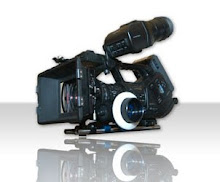
Just got the sneak release of the Rokinon 35mm T1.5 Cine lens from B & H -- Wow.  Very impressed with it out of the box.


I'm going to be using it on my F3 so the build quality needs to be OK and lets face it... It has to look a little impressive besides being sharp.  I did a lot of research on the Bower, Samyang, Rokinon brands (they are all the same manufacturer) and thanks to information found on KenRockwell.com site and a few other sites these lenses seem really sharp in comparison to their Nikkor counterparts.  I thought I would give them a try and report back.  They aren't supposed to be out until September but a few got released early and I was able to get one.  I'm waiting for the 24mm, 50mm and 85mm.

Build quality is very nice at first blush.  Not all plasticy.  The witness marks are on the left side only.  Barrel rotation is about 180 degrees and smooth.  Aperture rotation is smooth as well.  Image looks nice and sharp on the first tests.  Bokeh is creamy.  It is a full frame or FX lens so compared to my 5D2 where it's a 35mm it's more like a 50mm field of view on the F3.

All in all a nice lens so far.  More to follow...

Until next time, good shooting.

TDTrey.com

Which Camera?? Decided... Sony F3

Well after a little over a year of searching and waiting and wanting I made a what I think is a fine decision for my next camera.  For those of you who have been following my "which camera" posts you've scene me ponder everything from the Scarletus... I mean, Scarlet.  And the 5Dmk3, Nikon D800, FS100, FS700 and more.  But after working with the Sony F3 for others I decided to get one of my own.  Great Camera!!!


I went to CineGear this year to look at everything that was coming out and projected to be out soon.  Lots of cool stuff - (technical term).  Spent quite a while at the Canon booth and the Sony Booth.  Big competition there.  With all the research about new cameras and features I was feeling very lost and then about 2 weeks ago sat down and took a hard look at what I do and how this new crop of cameras could affect that - here's what I found:

Most used this year: 5Dmk2
Most flexible: Sony EX3
Best combo of the two: Sony F3

I'm not being asked to go 4K just yet. If need be I can rent an EPIC from VR and go crazy with resolution.  Super Slowmo is great but likely to get overused in my circles and burn out quickly and again -- EPIC if needed.  Super Shallow DoF nice but not the end all be all.  The F3 seems to fit the bill right down the middle.
The best part I like is I'm already an EX3 owner so all my achechepies plug right in. I'm planning to do the S-Log upgrade soon so I'll keep you posted on the progress.  Also I'm getting a set of the Rokinon T1.5 cine lenses as the come out.  See my review of the 35mm T1.5.  I'll be getting the 24mm, 35mm, 50mm and 85mm.  I can rent a Zeiss ZF.2 kit when needed but I wanted to start with the Rokinons to give them a try.  I got the Tokina 11-16 in Nikon F -- no cine mod yet; a Nikkor 28-70 ƒ2.8 and a Nikkor 80-200 ƒ2.8.  It will be a balanced kit when I"m done.

Well dinner is ready.  More to come...

Until next time, good shooting

DaVinci Resolve 9 Flippin' Fastastic

Black Magic Design released the Beta version of their new DaVinci Resolve 9 Lite week before last.  You can download it for the Mac here.  

It's a great new look and feel to this wonderful application. I love the new layout.  Still has all the tools you need -- they are just in a better placement now.  And, you don't have to be as much of a rock scientist to figure out how to "make it go"  =)

I decided to jump in with both feet.  My friends are on the home stretch of their first feature and asked if I would be willing to have a go at the grading.  I said...Suuuure, why not.  It's a fun vampire flick with all sorts of twists and turns.  It was shot on the Panasonic HVX 200.  INT's, EXT's and mixed lighting - a real good test.  Check it out here.


The new layout only took a little while to get familiar with and helped to really speed things up.  Things I liked best right out of the gate:
  • Improved Layout
  • Better Scene Detection feature
  • Smarter HSL keying
  • Easier access to Primaries and Wheels
  • Smart gallery access
  • Fantastic Motion Tracking!!!!!!
    • Super easy to use and link
  • Delivery TAB for outputting
  • Premiere Pro 6 support
This is all from me using the Beta 3 version for only about a week.  As I dig into the app I'll update this post.  Feel free to add comments to help all the readers =)
I got this project as a full length ProRes movie and used the scene detection feature to split it up and conform it.  Took just a little tweaking and it worked great.  A lot of the content is set in a dark or flat location so I had to pickup a few of the cuts as they were hard to discern for the detection threshold I had set - No biggy.

The vignette and power window features are very nice.  Made it easy to correct windows, clothing, walls... everything!!!

The delivery TAB is now super easy to use.  You can make your own custom  output settings and then save them for future use or just take advantage of one of the many presets.  A new feature I like is the fact that you can set multiple outputs and then place them in the render que and walk away.  Each output can have it's own settings and destination.

Well, that's it for now.  I'll add more as I go.  Just wanted to give props to BMD for delivering such a great update to an already awesome tool.

Until next time, good... grading

TDTrey.com

Monday, July 9, 2012

Premiere Pro CS6 and 6.0.1

OK. So I've been on CS6 for about 5 weeks now.  I like a lot of the new features: better trimming, adjustment layers, Warp Stabilizer built in to Premiere Pro directly.  When up and running it's great.  But in the last week I've had some issues with my tower stuttering and freezing.  I called Adobe last Friday at the end of the day and tried to give them a detailed explanation of the issue - they were very kind but kept passing me around from department to department... Frustrating.  Well I did a little more digging on my system and found a few more answers on my own.  Then, low and behold, I got a phone call from one of the lead tech support guys this morning following up as they could see there was not a resolution to the issue yet in the report.  VERY COOL =)

Well the tech spent almost an hour with me on the phone and went through all the nooks and crannies of my Mac Pro to determine where the problem might be.  We tracked it down to a probable conflict with some behind the scenes apps interfering with the PPro performance.  (Keep in mind that this system is an 8 core, 2.93 Ghz box with 24 gigs of RAM and separate GPU and GUI graphics cards, RAID 5 @ 200MB/sec -- not a sleeper)  We set up a ROOT account to log into and ran PPro 6.0.1 with no problems.  This means it must be in the building of my main account - not the Boot Drive or the system.  Good, I don't have to blow the drive --  bad, I have to pluck out the offending sub apps or slowly bring across my prefs from the old account to the new one and the delete the old one when I've got a solid new one... Tic Toc - but doable.

I've been testing 6.0.1 on my 17" MBP and found it really nice, fast and friendly.  The issues were only with the big tower.  PPro 6 seems a lot like FCP 7 (or 8 =)  I think Adobe is really coming along with this product.  Very happy about that!!!  I'm moving almost 50 percent of my work into DSLR territory and the file size and Xfer/conversion time is a killer on fast turn arounds and on-set reviews.  I love just dropping the native files into PPro and going.  Hoverscrub and JKL functions really help to speed up the process of logging and picking clips on set.  I'm waiting for PluralEyes 3 to come out and everything will be in place.

The majority of my work these days are talking heads for docs and sound bites so being able to turn them quickly is important.  I cut a series of interviews with CS 6.0 and was very pleased with the adjustment layers and the sound control.  I was prepared to got out to Davinci Resolve and Audition if I needed to but instead elected to stay in Premiere the whole time and make a go of it.  The client was very happy and didn't need a second round of changes - Yay!!!

Overall I think Premiere Pro is moving forward quite nicely.  Probably by 6.5 we'll be in a place that feels a lot like where we left off with FCP7 - Sorry Apple... Still love the computers =)  I'm very happy with the openness of Adobe to listen to our needs and then do there best to get us the updates ASASP.  I think letting Apple do what they want to do - computers and mobile devices and letting software developers work on what the really want to work on will give us the best result in the long run... Too wordy???

Well that's it for now. Until next time, good shooting and good editing.

TDTrey.com

Monday, April 9, 2012

Which Camera(s) cont'd - Sony FS700

Well, looks like Sony has gone and done it again.... The FS700 is the new camera to beat. I thought I would wait until the dust settled to put my two cents in. I've got nothing to report that hasn't already been written -- Other than WOW!!! wait... I read that somewhere too...

This seems like what the C300 should have been, what the Scarlet X might have been and what we were hoping the 5Dmk3 would have been. And it's a Sony =)

I was very intrigued with the FS100 but not completely sold. And have been looking for a way to use my Canon EF glass to make the package a done deal. I found the Metabones adapter for the lensing and the battery support for running all my monitoring but was not just there yet... Then I was hipped to the FS700 last Monday and everything changed.

Looks like the new camera route might be to get the FS 700 ASAP. Shoot the 5Dmk2 for as long as I can. Rent the Mark III when needed. Adapte the 5D cage to the 700 for maximum use. If I still get requests for the 5D a lot upgrade later and replace the mark II....

Exciting times my friends... exciting times indeed!!!!

Good FS700 resources:

Andy and AbleCine - Video Overview

Den Lennie

Frank Glencairn


Well that's it for now. Until next time, good shooting.

TDTrey.com

Saturday, April 7, 2012

SmallHD HDMI Active Splitter

Life Saver!!!!

I just recently added a Zacuto Z-Finder EVF to my 5D2 package. (Really great tool to have in your kit) But I was having a little trouble routing my signal through the whole rig. I was going from the 5D to the EVF and then looping out to the Black Magic Design HDMI to SDI converter. While the loop-thru works pretty well, it appears to sometimes be a little intermittent. I think it has something to do with the handshake between all the devices. Thus the SDI feed going out to the client monitor would cut in and out occasionally.

Enter the HDMI active splitter from SmallHD. The unit is about the size of a Zippo lighter (for those of you who can remember a Zippo =) and is self powered drawing it's juice from the inherent 5V present in the monitor/device connections. It has a great little hook at the top that is perfect 1/4-20 size. There is a little LED at the bottom to indicate if you have 1 or both HDMI outputs in use. Green for 1 and Yellow for both.

The configuration of the connections is really nice. The bottom has an HDMI IN and Out. The top has the HDMI OUT and optional power inputs if needed. The power connectors are 1 DC barrel and one mini USB. I found these were not needed in my rig and wouldn't be needed unless I was looping a bunch of these little guys together or doing really long cable runs.

The active splitter sends full 1080 HD out each output and maintains individual handshakes with each of the devices connected. The BMD converter's signal is really stable when the splitter is in line. The one thing I noticed in my testing is that you have to power up the rig after everything is connected to make the handshake process work correctly. Once I did that it was perfect.

I'll do an update to this post in a few weeks after I have used the system a little more. I just wanted to get the word out how cool this little guy is. And he's built right here in the USA in North Carolina. The price is a mere $59 and the shipping is fast and easy. Pretty Cool =)

Until next time, good shooting.

TDTrey.com


Thursday, April 5, 2012

Lovin' Premiere Pro 5.5

Well we are coming up on a year since Apple decided to improve Final Cut Pro for us... And while there are several sites and sources dedicated to the training needed to learn FCP X, it is still lacking in many of the features that we use every day as editors.

Like many video professional last summer, I decided to give Premiere Pro (PPro) a try. I figured that if I was going to have learn a new NLE anyway I might as well make it one that is going to be around for a while. Plus Adobe was giving us that really great deal if we were switching from FCP. Who could pass that up?

So just a couple quick notes on my progress.
  • I like using the FCP keyboard shortcuts. I feel right at home. I hope that they will bring even more of the shortcuts over as the app improves.
  • Bringing in all of my footage with out transcoding is awesome.
  • Knowing I'm using all the horse power under the hood is also great.
  • Dynamic Linking is real handy for moving from app to app in the suite.
These features along with many of the improvements that are coming down the line are going to make PPro an editing force to be reckoned with.
That's just a quick look at Premiere Pro 5.5 from my perspective =)

Until next time, good shooting.

TDTrey.com