Tuesday, March 18, 2014

The Big Small Rigs...

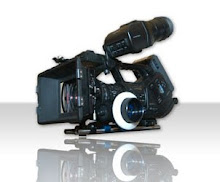
So here is a cool version of my 5D3 rig with my iPad Prompter on it.  It's pretty tight.  The prompter is driven by my Macbook Pro using a display mirroring software over WiFi.  The system is pretty light weight all things considered and I can take it handheld if needed.  I am using an ATOMOS Samurai Blade to record in ProRes straight out of the camera's HDMI. It also records the final audio in sync with the picture.

Here is another version of the rig using a SmallHD AC-7 monitor for the field.  I like the size of the AC-7 and how bright it is.  This is the rig when clients want to record right to CF and not deal with the ATOMOS. 

With the focus on new cameras looking toward 4K this year it will be interesting to see how the world of the 5D fairs.  I am intrigued by the GH4...  I have clients still asking for the 5D3 and the 5D2.  they like the look of the full frame sensor and want to go with a known camera.  I think I'll get another year or two out of this rig. 

Until next time, Good shooting

TDTrey

Monday, February 10, 2014

Blackmagic Production Camera 4K is Here!!! And it's CHEAPER - YAY!!!

I just received word from BMD that the BMPC 4K is shipping as of today.  I checked B&H and a few other sites and they are still showing it as a pre-order item but the press release just hit a few hours ago.  Along with the terrific news of official shipping it is also making it's debut at a lower price point $2995.  Down $1K from the original MSRP.  It is still shipping with a full copy of Resolve  and appears not to have lost anything in the process.  First thing I checked was the BMD site for the specs and everything still appears to be there so it's all good.  Hopefully as the units start making their way into the market a few review units will drift into bloggers hands =)  I'll keep you posted.  For now please see the full press release below and let me know your thoughts.

Fremont, CA - February 10, 2014 - Blackmagic Design today announced the Blackmagic Production Camera 4K is now shipping and with a new low price of US$2,995. This new low price will be available for all customers, including existing pre-orders. Blackmagic Production Camera 4K is available now from Blackmagic Design resellers worldwide for only US$2,995.

“The support from the creative community for the Blackmagic Cinema Camera and Production Camera 4K has been amazing,” said Grant Petty, CEO, Blackmagic Design. “As with all of our products, we work hard in production to reduce costs so we can pass along the savings, even to our first Blackmagic Production Camera 4K customers. The Blackmagic Production Camera 4K is a perfect companion for ATEM Production 4K switchers and we hope the new low price will help more customers to expand their Ultra HD live production set ups with even more camera angles!”

Blackmagic Production Camera 4K is a super high resolution 4K digital production camera for Ultra HD television production. Featuring a large Super 35 sensor, professional global shutter as well as EF and ZE compatible lens mount, the Blackmagic Production Camera 4K captures high quality ProRes™ files, giving customers a complete solution to shoot amazing high resolution music videos, episodic television productions, television commercials, sport and documentaries.

The Blackmagic Production Camera 4K has everything customers need right out of the box including a built in SSD recorder, rechargeable battery and a large 5” LCD touchscreen. In addition to focusing and monitoring shots, the touchscreen also lets customers enter metadata and change camera settings all on a single easy to use interface. Customers also get a full copy of DaVinci Resolve for amazing quality color grading and finishing for Mac OS X and Windows computers.

  • Ultra HD 3840 x 2160 resolution
  • ProRes 422 (HQ)™ recording
  • Super 35 sensor
  • Global shutter
  • EF and ZE compatible lens mount
  • Built-in SSD recorder
  • 5” LCD touchscreen
  • Metadata entry
  • 6G-SDI output for 10-bit HD and Ultra HD
The Blackmagic Production Camera 4K is available now for US$2,995 from Blackmagic Design resellers worldwide.

Until next time, Good shooting

TDTrey

Monday, January 20, 2014

Blackmagic Design Announces DaVinci Resolve 10.1


Fremont, CA - January 17, 2014 - Blackmagic Design today announced the release of DaVinci Resolve 10.1 software which adds new editing and 3D stereoscopic features as well as support for Final Cut Pro™ X 10.1. DaVinci Resolve 10.1 is available now for download free of charge for all existing DaVinci Resolve customers from the Blackmagic Design website.

The new DaVinci Resolve 10.1 update adds innovative editing features that includes allowing users to preview and align multiple camera takes while editing, so they can quickly switch between takes to show their clients shot options live from the timeline. Editors can now copy individual clips in the editing timeline with a simple drag and drop, making it easier to use the same footage in different parts of the edit.

The enhanced editing tools also include support for trimming frame based clips such as DNG and DPX that reduces time in transferring clips for even faster workflows, as well as Rich Text title support which allows every character’s size, position and color to be adjusted individually directly from the Edit page.

Also featured in DaVinci Resolve 10.1 are XML import enhancements for both FCP X 10.1 and FCP 7 customers. Compound clips from FCP X 10.1 with separate A/V elements are now split into individual clips and imported FCP 7 XML’s include font properties and timeline markers as well as being able to bring across sizing, cropping and composition parameters. Now shot reframing adjustments made during Final Cut Pro editing will translate even more accurately into the DaVinci Resolve timeline.

Customers with the full software license of DaVinci Resolve will get enhanced 3D stereoscopic tools including a full stereoscopic multi track editing timeline, enhanced convergence adjustments and automatic alignment.

“We are really excited to be adding even more advanced editing features so quickly after the release of DaVinci Resolve 10,” said Grant Petty, CEO, Blackmagic Design. “Resolve 10 has been a massive update with over 50 new features including temporal processing, Open FX Plug-ins and powerful onset tools. The additional editing tools we are releasing today give customers more precise control over their projects from within the DaVinci Resolve timeline and improves integration with popular editing and visual effects software so that customers get the best workflow possible.”
Until next time, Good grading
TDTrey

Wednesday, November 20, 2013

New DaVinci Resolve 10

So I downloaded the Lite version this week and started working with it on my grading tower.  So far very nice.  I'll have more to report in a week or two but I wanted to put up a copy of the press release for your review asap. Enjoy =)

Fremont, CA - November 7, 2013 - Blackmagic Design today announced the release of DaVinci Resolve 10, available now for download free of charge for all existing DaVinci Resolve customers. DaVinci Resolve 10 is a major upgrade that includes innovative on set tools, new editing features, support for OpenFX plug-ins and more.  Also available for download is the free DaVinci Resolve Lite edition for both Mac OS X and Windows. DaVinci Resolve Lite now includes the addition of Ultra HD resolutions and additional GPU support. 

DaVinci Resolve 10 has been developed to simplify the integration of different software tools used in the film and television industry, allowing timelines to be moved into and out of DaVinci Resolve and other edit software such as Final Cut Pro, Avid and Premiere Pro.

As workflows have changed, more post production is now started on set during the shoot. Lighting and other aspects of the shoot are also often verified based on color correction checks and DaVinci Resolve 10 has new powerful tools to manage this process. The new Resolve Live feature allows color grading direct from the video input live with full creative power such as primaries, secondaries, power windows, custom curves and more. Grades can be stored and then relinked when the camera files are loaded.

DaVinci Resolve 10 includes enhanced editing features and allows online finishing of edits performed in other popular editing software. This means multiple users can submit scenes in large complex jobs from the applications they prefer to use, and DaVinci Resolve 10 can finish online from the original camera RAW files for dramatically better quality than would be available when finishing in a standard NLE software package. If any scene needs additional editing, it can be moved back to the NLE software letting editors use the tools they love.

New editing features include full multi track editing with 16 channels of audio per clip and unlimited video and audio tracks in the timeline. Audio can be synced or trimmed and dragged independently to the timeline. Other new editing features include extensive ripple, roll, slide and slip clip trimming support which display dynamically on the timeline and viewer. The viewer also allows split screen display to show in and out points of adjacent clips.

A good example of the online editing process is when an edit has been completed in Final Cut Pro X that includes mixed frame rates, mixed media types, multiple audio tracks and even color corrections. DaVinci Resolve 10 will support import of that project via XML and will online it including full translation of all these elements while rendering the master from the original RAW camera files. This means that Final Cut Pro X editors can use DaVinci Resolve 10 as the tool to online their work for cinema release and generate the Digital Cinema Package file directly from the camera RAW files.

Editing in DaVinci Resolve 10 also includes a powerful title tool with static, lower third, scroll and crawl titles with multiple fonts, size, drop shadow and XY positioning. Timelines in DaVinci Resolve 10 also include the support of compound clips with multiple elements including multiple video and audio tracks. Also, DaVinci Resolve 10 can be used for stereoscopic 3D projects with full support for left and right eye clips in the media pool and the edit timeline. Using timecode and reel name, DaVinci Resolve 10 will automatically associate the left and right eye of the stereoscopic clips.

Color correction features have been upgraded in DaVinci Resolve 10, including support for industry standard OpenFX plug ins with an unlimited number of plug ins per clip. There are now unlimited power windows per corrector node and the new Gradient PowerWindow™ lets colorists quickly add a gradient across the image. Other new color correction features include copy and paste of tracking data, motion effects including spatial and temporal noise reduction and motion blur effects.

For project delivery, DaVinci Resolve 10 includes full audio track visibility in the deliver window timeline as well as EasyDCP integration so users can render directly from their project timeline into a Digital Cinema Package for release to theaters. Because DaVinci Resolve 10 allows rendering from the camera RAW file directly to the Digital Cinema Package files in the highest quality 32 bit float, there is simply no better quality possible for a cinema release master. Customers simply need to purchase a license from EasyDCP to enable this feature.

DaVinci Resolve 10 also supports additional media types and continues to be the industry leader in file based workflows because it operates with virtually all video file types available. New formats include JPEG 2000 decoding and encoding, AVI clip decoding, playback and more.
“We’re extremely excited to be releasing DaVinci Resolve 10 today, which has been a massive update with the addition of new editing, temporal processing, OpenFX plug-ins and powerful onset tools,” said Grant Petty, CEO, Blackmagic Design. “We have received incredibly positive feedback on this new release and some of the worlds leading post production facilities are now editing major work on DaVinci Resolve 10. With over 50 new features in DaVinci Resolve 10, this is the most exciting update in the entire 30 year history of DaVinci.”

About DaVinci Resolve

Blackmagic Design’s DaVinci Resolve is the world’s highest performance on set, editing and color correction solution for Mac OS X, Windows and Linux computers. DaVinci Resolve supports more real time color correction than any other system because it’s not limited by the performance of the computer it’s running on. DaVinci Resolve eliminates this performance barrier because it’s based on a cluster of high performance GPU cards, so all processing is always real time. DaVinci Resolve has the power of a true real time performance solution so handles complex color grades even when using dozens of primaries, secondaries, Power Windows™, multi point tracking, blurs, and more. DaVinci Resolve provides incredible performance in a low cost solution which can be easily upgraded by adding extra GPUs for supercomputer power to handle 4K resolutions, stereoscopic 3D and real time grading direct from raw camera files such as ARRI RAW, RED RAW and Sony RAW files which can be handled with ease.

Availability and Price

DaVinci Resolve 10 is available now for download from the Blackmagic Design web site free of charge for all DaVinci Resolve customers.

Until next time, Good shooting

TDTrey

Wednesday, October 30, 2013

Blackmagic Design and Mavericks update

I was just notified by BMD that they have updates that now support Mavericks OS X 10.9:
  • The new updates include OS X Mavericks compatibility and interface enhancements for the new operating system and are immediately available for DeckLink, UltraStudio and Intensity Desktop Video products.
  • Customers can now download the Blackmagic Design software updates free of charge from the Blackmagic Design website.

    -Blackmagic Design
If you have been reading any of my recent posts regarding the saga of OS 10.8.5 and the never ending grey screen then you know I am very happy to hear I can move up to Mavericks and still continue using my BMD cards and software.

Please visit their web site to read the full press announcement from earlier this week.

Thanks for stopping by.

Until next time, Good shooting

TDTrey

Update on Mavericks vs Mountain Lion 10.8.5

UPDATE:  I did the full download and re-install option from the recovery options when you boot in command+R.  It took a little less time than an hour total.

I'm letting my system come all the way up for about 15 minutes and then will try a restart after I back up a few things from today's project.  The question is still there... Do I want to go to Mavericks as I have already done the big change from 10.6.8 or do I wait until a few weeks have passed and the tree has been shaken a little.  Time will tell I guess =)

Thanks for stopping by.

Until next time - Good shooting

TDTrey

Mavericks update vs Mountain Lion 10.8.5

Well it looks like we have a new OSX.  And Apple has left the "big cat" naming convention behind...  Ironically I just gave them $20 for the last Mountain Lion version 10.8.5.  I slurped the Cool-aid last week and joined the Adode family with the Creative Cloud solution.  I'm a little ticked that the sales person said "sure, you can run CC in 10.6.8"  and you can - as long as you don't work in the video or audio business...  So off to the app store I went and upgrade I did.  And, everything was going swimmingly until about an hour ago when I restarted and was met with a big grey screen on all my monitors.  The lovely shade of grey (just one) seem to permanently stick there forever.  
  • I gave it a few minutes and then powered off.  
  • Restart. 
  • Restart....
  • Shutdown....
  • Restart with P+R+command+option - no luck.  
  • Now Restart with command+R and go for a recovery...
I'm now in the last 20 minutes of reloading a whole new OS from the recovery options.  I'm hopeful...  If no joy I have a full back up I did last week and won't really loose anything important.  I'll just have to bump back down to 10.6.8 and then find a copy of 10.8.4 or jump to Mavericks...

So I'm open to thoughts and suggestions here.  I'm running most of the usual suspects from Adobe: Ps, Pr, Ae, Au, Ame.  I have been told by someone who was using the developers version of Mavericks that it's awesome with CC. I have also had the last hour to read on blogs that people are having problems with their CS6 and Mavericks.  So I don't know if I want to make the leap just yet...

I did have the Adobe Applications Manager auto update this morning on the CPU in question... so maybe that has something to do with it???

Anyway.  Just thought I would put this up as I have a little time to kill (5 minutes remaining)

Hope you all are doing well out there and having a great day.

Until next time - Good Shooting (and editing or at least computing)

TDTrey